Rolling Out Project RTS
Welcome to the first official dev log for Project RTS (our working title, but it gets straight to the point)
After spending the last few weeks deep in the trenches of Blender and Unity, things are officially accelerating. The biggest news? This is no longer a solo journey. My brother has officially jumped on board to handle the programming side of things, and having a dedicated coder to pass assets to is speeding things up.
Here is a breakdown of what we’ve knocked out over the last few weeks.
The Art and Tech Pipeline: Rigging Our First Vehicle
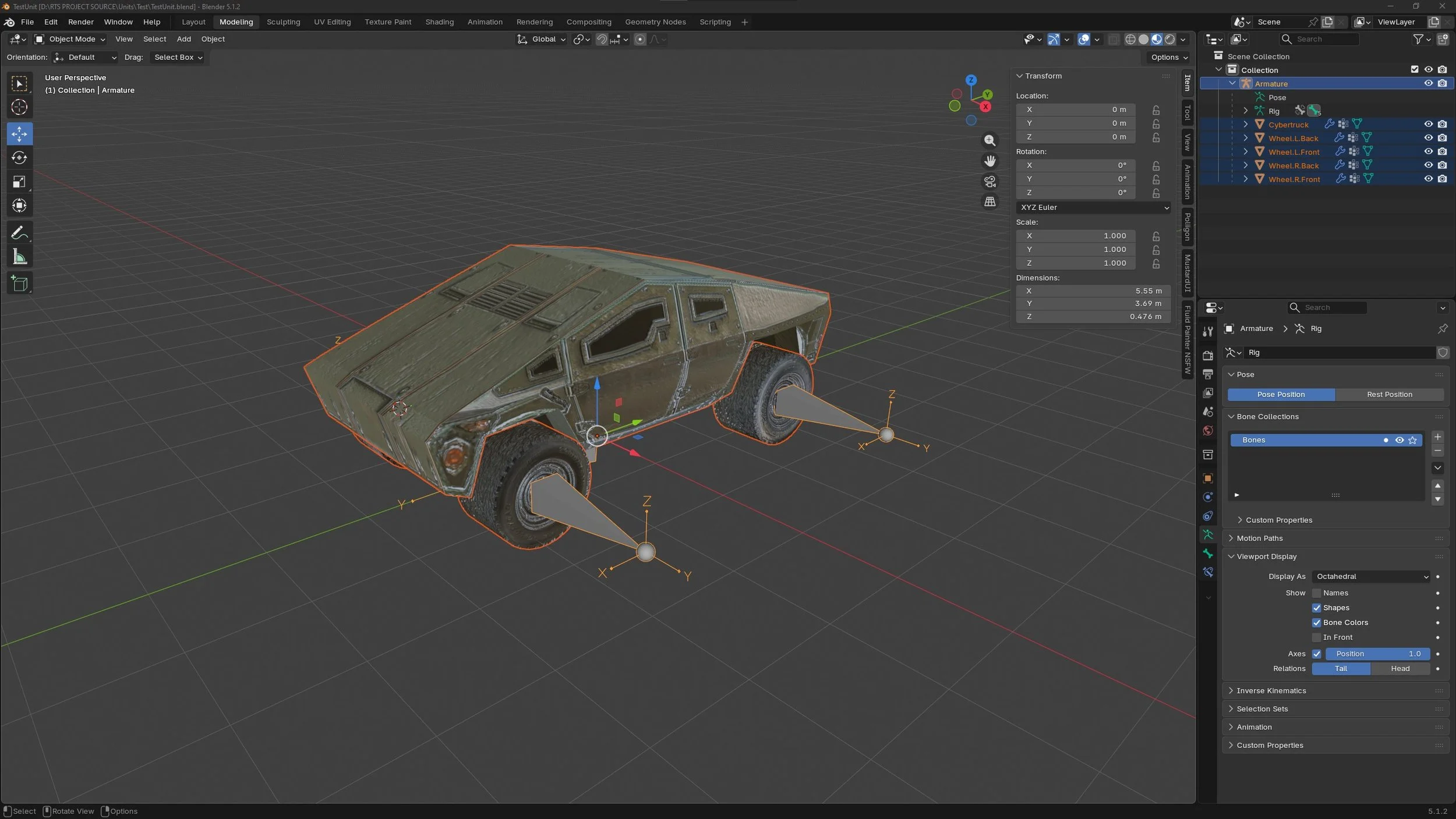
Temp just learn what needs to be addressed with these assets.
My main objective lately has been working on the blender to unity pipeline specifically, moving from basic modeling to full vehicle rigging and Unity integration.
I modeled our first scout vehicle in Blender, but the real challenge was building a rig that would play nice with Unity. Setting up the hierarchy correctly so that the body, wheels, and steering pivots could all be manipulated independently took some trial and error, but we got it cleanly exported.
Once imported into Unity, my brother took over the code side. He hooked up the vehicle movement script to read the rig data I built.
Dynamic Steering: When the vehicle turns, the front tires actually pivot accurately based on the rig's bones.
Wheel Rotation: The tires rotate relative to the vehicle's ground speed, giving it a grounded, realistic feel as it zips across the terrain.
Seeing an asset you modeled and rigged actually driving around a sandbox map under real-time code control never gets old.
Establishing the Asset Pipeline
With our first vehicle and structure up and running, we realized we needed a repeatable, organized system for how we handle assets moving forward. We are currently spending a lot of time sorting out our asset pipeline to define exactly what each type of unit requires, what needs to be rigged, and how they will functionally work once they hit the engine.
Instead of just building things randomly, we are categorizing our asset needs into distinct technical buckets:
Static Structures: Buildings like our temporary Construction Yard don't require skeletons, but they need clearly defined pivot points, placement footprints, and specific hookups for things like spawn points or rally-point flag logic.
Hard-Surface Rigged Units: Vehicles require specific bone hierarchies so code can independently twist steering joints, spin wheels, or rotate turrets without tearing the mesh apart.
Animated/Organic Units: Anything requiring complex mesh deformation will need a full skinning and animation pass before code can trigger state changes like moving, attacking, or dying.
Defining these requirements upfront ensures that when I hand a completed FBX file over to my brother, it already has the exact naming conventions and internal structure his scripts expect, preventing a ton of back-and-forth troubleshooting.
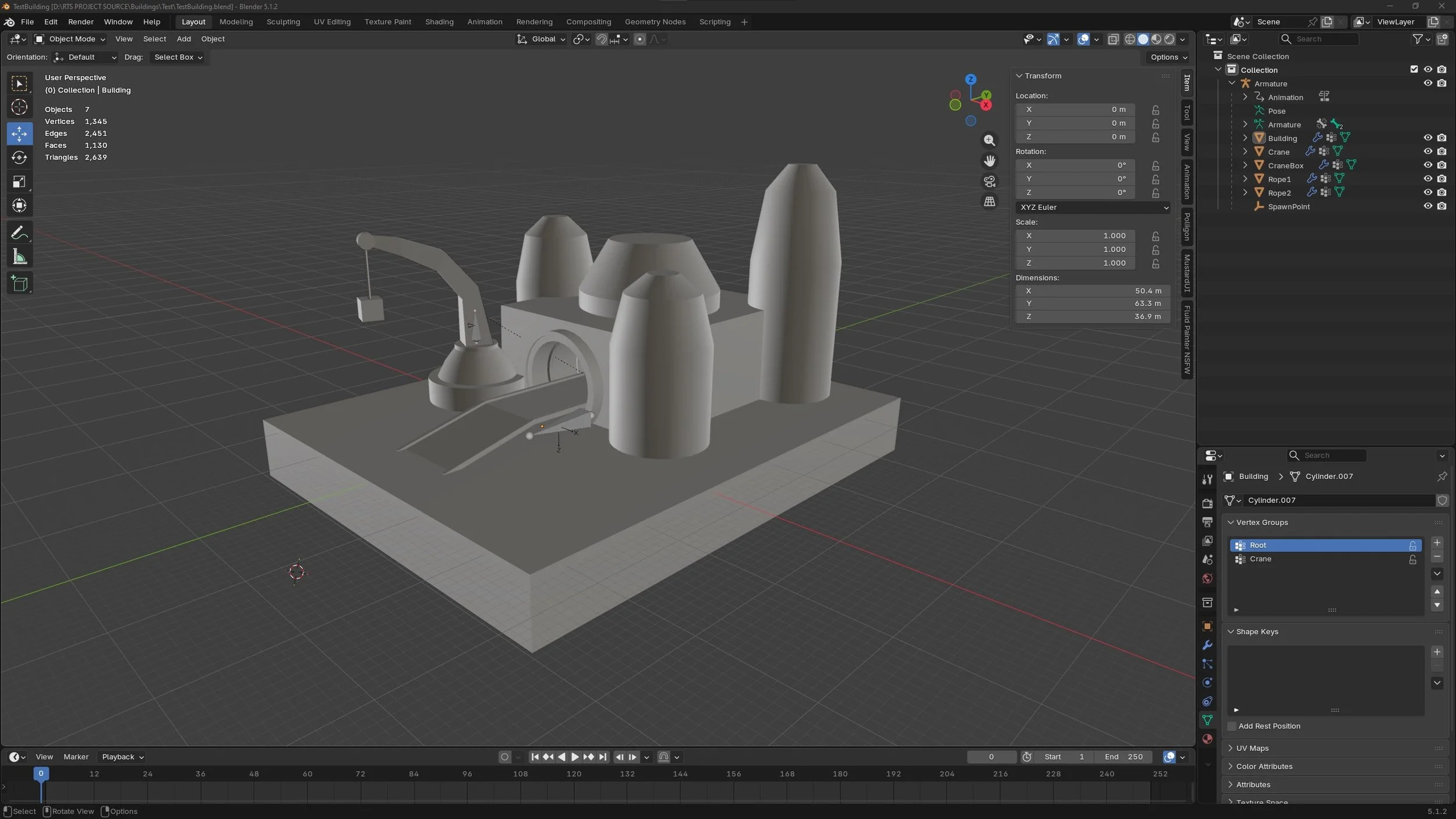
Temp just learn what needs to be addressed with these assets.
Base Building: The Temp Construction Yard
An RTS game isn’t an RTS game without base building. To give my brother a proper testing canvas for the placement mechanics, I whipped up a quick, temporary Construction Yard asset. (Live on Twitch btw :) )
It’s a simple placeholder for now, but it allowed him to successfully build out the core logic for selecting a structure from a UI menu, handling the "ghost" placement preview on the terrain grid, checking for valid placement terrain, and finally snapping the building into the world.
With the vehicle physics and the fundamental building placement logic already taking shape, the core framework of our engine is coming together much faster than anticipated.
Brainstorming and What's Next
When we aren't actively modeling or coding, we are staring at our Miro board. It is absolutely full of ideas and concepts we are exploring. Striking the right balance between classic, tight RTS pacing and some unique modern twists.
Stay tuned for the next update, and thanks for following along!